

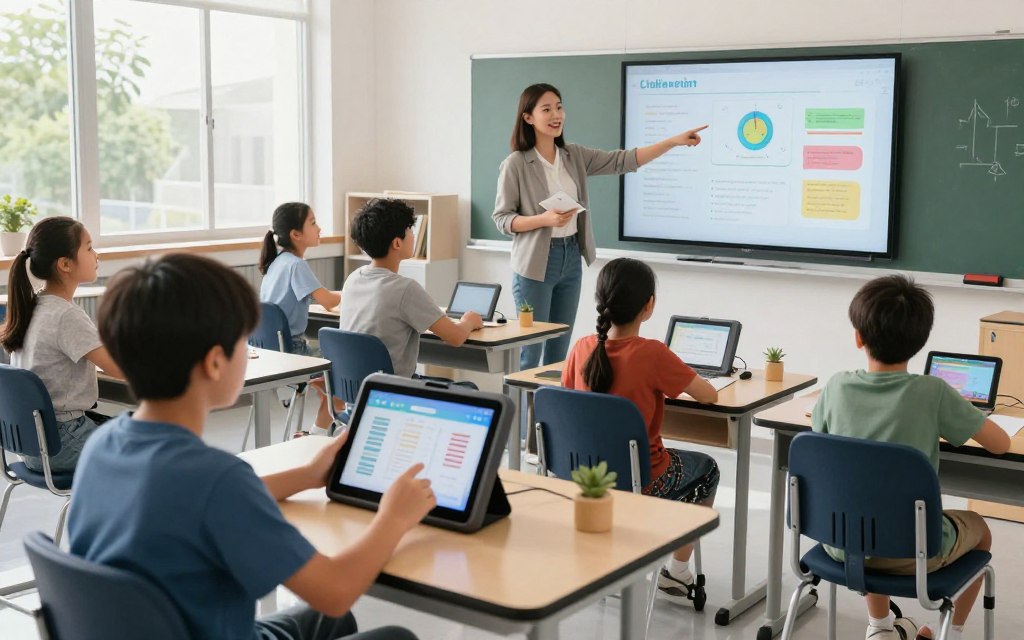
Today, assistive technology for students with disabilities helps overcome learning barriers. These tools can improve reading, writing, communication, and classroom participation. They include pencil grips, visual schedules, speech-generating devices, and screen readers; each choice meets unique student needs.
Each learner has different challenges and goals. Choosing effective assistive technology devices requires understanding the student’s disability, preferences, and independence. This article explores learning disabilities technology, other educational technology categories, leading examples, and ways to choose the right support.
It also covers U.S. school legal protections that give students access to these essential resources. Technology should support participation and access, not replace traditional instruction or therapy.
Key Takeaways
- Assistive tools enhance learning by reducing barriers.
- Choices depend on individual needs and preferences.
- Legal protections ensure access to necessary resources.
- Effective technology supports participation, not replacement.
- Understanding the environment is crucial for selecting tools.
Understanding Assistive Technology in Education
Assistive technology in education helps students with disabilities take part in learning. It includes any item, equipment, software, or product system that improves, maintains, or increases their functional abilities. Schools must distinguish between assistive technology devices and assistive technology services.
Assistive technology services may include evaluation, customization, training, maintenance, and technical support. Teachers, families, speech-language pathologists, occupational therapists, physical therapists, and other specialists often work together. This teamwork helps special education technology meet each student’s unique needs.
It is also important to understand accommodation and remediation. Assistive technology for students can provide access to grade-level content without teaching the underlying skills. For instance:
- Text-to-speech tools assist students who struggle to decode written text.
- Speech-to-text software supports students with dysgraphia in expressing their thoughts.
- Augmentative and alternative communication devices aid students with limited speech.
- Digital organization tools help students with executive-function challenges manage their tasks.
When selecting classroom accessibility tools, consider student preference, ease of use, privacy, reliability, portability, and compatibility with school systems. The evaluation should include observation and assessment, testing tools in realistic settings, and ongoing reviews. These steps help ensure the tools remain effective.
Legal Framework Supporting Assistive Technology in U.S. Schools
In the U.S., several laws support assistive technology in schools. The Individuals with Disabilities Education Act (IDEA) requires IEP teams to consider each student’s need for devices and services. This IDEA assistive technology review helps ensure a free appropriate public education.
When assistive technology is needed, teams record it in the Individualized Education Program (IEP). This IEP assistive technology record lists the educational need, specific devices or services, responsible staff, training, and support settings.
Related Posts:



Also, Section 504 of the Rehabilitation Act protects students from disability discrimination. It allows Section 504 accommodations, including technology supports for eligible students. These supports help students take part fully in school.
The Americans with Disabilities Act (ADA) strengthens these protections through ADA education requirements for accessible programs, communication, and learning spaces. Legal eligibility, device ownership, and implementation procedures may vary by district and state.
Families should take part in assistive technology evaluations and meetings. They should ask for clear explanations of proposed supports. Families should ensure technology remains available across classrooms, testing, homework, transportation, and extracurricular activities.
Categories of Assistive Technology Devices
Assistive technology devices fall into three primary categories. Each category offers unique benefits and challenges for learners. Understanding these assistive device categories helps educators choose tools that support educational success.
Low-tech assistive technology includes simple, often non-electronic tools, such as pencil grips, highlighters, and visual schedules. These devices are affordable, easy to use, need little training, and fit quickly into classrooms. Their reliability and familiarity make them popular with students and educators.
By contrast, mid-tech assistive devices use some electronic components but remain fairly simple. Audio recorders, communication boards, and simple speech-generating devices belong to this category. They offer more functions than low-tech options, need some training, and often bridge low-tech and high-tech solutions.
Finally, high-tech assistive technology includes advanced devices that rely heavily on electronics. Examples include specialized software, tablets, and adaptive computers. These tools offer powerful features but cost more and may require extensive training for students and educators.
Maintenance may also demand more effort because technical issues can arise.
Students may use several types throughout their school day. By combining low-tech, mid-tech, and high-tech solutions, educators can build support tailored to each student’s needs. This approach gives every learner access to tools needed for success.
What Assistive Technology Devices for Students With Disabilities Support Learning
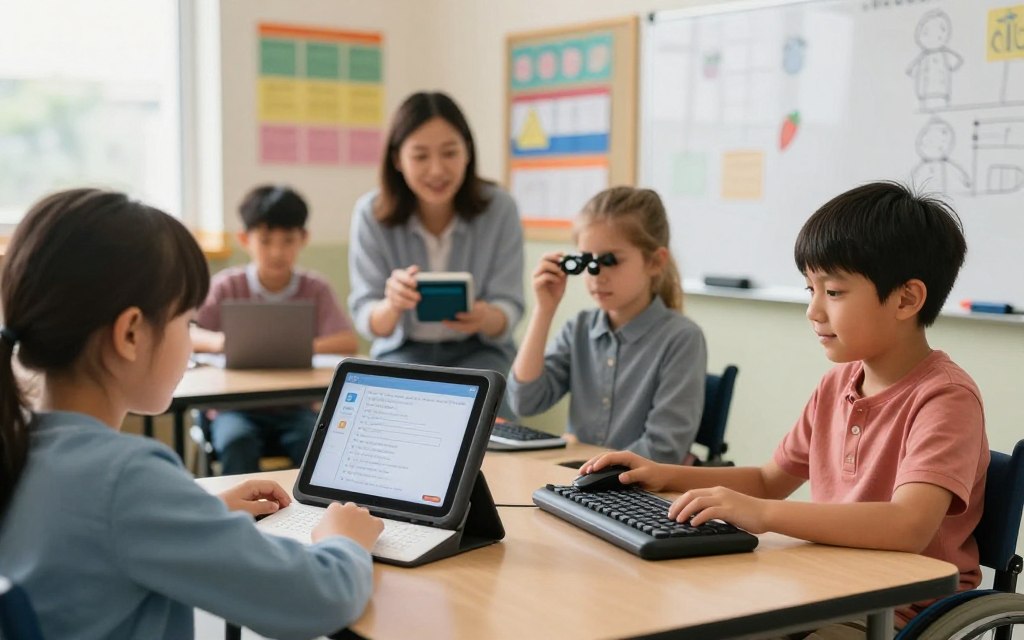
Assistive technology devices help students with disabilities learn and take part in school. These tools address barriers in reading, communication, self-regulation, movement, sensory access, and independent tasks. They give every student more chances to succeed.
For example, visual impairments can make reading assignments difficult. Learning support devices like text-to-speech software read content aloud and make it accessible. Students who struggle with writing can use speech recognition software instead of typing.
Assistive technology can improve classroom discussions. Augmentative and alternative communication (AAC) devices help students join discussions and share ideas. This support matters because communication drives learning and social interaction.
Technology can also help students manage themselves. Digital planners and reminders help students manage time and tasks. These disability accommodations in school promote independence and help students stay organized and focused.
Physical participation helps students engage in classroom activities. Adaptive tools, such as modified keyboards and ergonomic chairs, provide comfortable access to learning materials. Noise-canceling headphones can support sensory access for students with sensory sensitivities.
The right technology should match each student’s abilities, age, and preferences. Students with the same diagnosis may need different supports. Understanding individual needs and long-term goals helps teams choose the right tools.
Technology should be part of daily routines, not only formal evaluations. This approach fosters student independence technology use and helps students use devices effectively and confidently.
Top Reading and Writing Assistive Technology Devices
Reading assistive technology and writing assistive technology help students with disabilities succeed in school. These tools address decoding, visual access, spelling, handwriting, grammar, transcription speed, and written organization. Dyslexia technology can address some reading and writing barriers.
Knowing the choices helps educators and parents make informed decisions.
Effective tools include text-to-speech software and speech-to-text software. These tools let students engage with text in ways that fit their learning needs. For instance, text-to-speech software reads written content aloud for students with reading difficulties, including dyslexia.
Speech-to-text software lets students dictate thoughts and turn spoken words into written text. This support can help students with writing challenges.
| Device | Intended Users | Compatibility | Learning Curve | Accessibility Features |
|---|---|---|---|---|
| Text-to-Speech Software | Students with reading difficulties | Windows, Mac, iOS, Android | Easy | Adjustable speed, voice selection |
| Speech-to-Text Software | Students with writing difficulties | Windows, Mac, iOS, Android | Moderate | Voice recognition, punctuation commands |
| Dyslexia Technology | Students with dyslexia | Various platforms | Varies | Customizable fonts, background colors |
Commercial software is not a one-size-fits-all solution. Each student has unique needs, so school teams should check licensing, accessibility, data practices, and compatibility with instructional materials.
“Technology can empower students with disabilities, but it must be implemented thoughtfully.”
By considering these factors, educators can bring reading and writing assistive technology into their classrooms. This approach gives every student a chance to thrive.
Top Communication and Speech Assistive Technology Devices
Communication technology helps students with disabilities express themselves and engage in learning. These devices support authentic communication in academic, social, home, and community settings. Augmentative and alternative communication (AAC) includes unaided gestures and signs, plus aided communication boards, applications, and dedicated speech-generating devices.
When choosing AAC devices for students, consider each student’s vocabulary and age-appropriate language. Reliable access matters too. Students need pressure-free chances to communicate and share thoughts and feelings.
The table compares three popular communication devices using several criteria:
| Device | Portability | Customization | Access Method | Durability | Voice Output | Vocabulary Organization | Support Requirements |
|---|---|---|---|---|---|---|---|
| Device A | High | Moderate | Touchscreen | High | Natural Voice | Flexible | Low |
| Device B | Medium | High | Switch Access | Moderate | Digital Voice | Structured | Medium |
| Device C | Low | Low | Eye Tracking | High | Robot Voice | Customizable | High |
Choosing the right speech-generating devices takes teamwork with a speech-language pathologist and the student’s broader educational team. This teamwork helps the device meet the student’s unique needs and support communication goals.
Top Visual and Hearing Assistive Technology Devices
Visual and hearing assistive technologies make education more accessible for all students. They help students with disabilities join classroom activities and use printed information, instruction, discussions, demonstrations, and digital content. These tools improve access to learning in many classroom settings.
One important type of visual assistive technology is braille technology. Braille displays and notetakers help visually impaired students read and write effectively. low vision learning tools, including magnifiers and screen readers, help students with partial sight read difficult information.
hearing assistive technology includes devices that improve access to sound. Classroom hearing devices, such as FM systems, amplify the teacher’s voice for students with hearing impairments. They also reduce background noise, which supports clear communication.
When choosing assistive technology, consider each student’s sensory needs. Portability also matters because easy-to-carry devices work well in different learning environments.
Classroom compatibility also matters. Some devices may require extra training for teachers and students. Battery life matters for devices used throughout the school day, and vision or hearing professionals can support successful use.
Visual and hearing assistive technologies are vital, but they should support, not replace, accessible instructional design. Captions, transcripts, and readable documents should accompany these devices to improve learning. Proper lighting and direct communication with students further support their educational journey.
Top Physical and Mobility Assistive Technology Devices
Using physical accessibility technology can help students move, learn, and join class. These mobility assistive devices help students access computers, communication systems, lessons, and classroom controls. Understanding each device helps students gain the most from it.
When assessing motor access, consider several factors:
- Posture: Proper positioning is crucial for effective use.
- Reach: Ensure that devices are within easy reach of the student.
- Endurance: Assess the student’s stamina for using the device over time.
- Coordination: Evaluate the student’s ability to control the device.
- Vision: Consider visual impairments that may affect device usage.
- Cognitive Load: Simplify interactions to minimize mental strain.
- Preferred Interaction Method: Identify how the student prefers to engage with technology.
Safe positioning and ergonomic checks are vital. Proper setup and technical support help students use devices safely, comfortably, and effectively. Using a device in different settings can also improve learning.
Here are some leading physical and mobility assistive technology devices:
- Eye Gaze Technology: This allows users to control devices using their eye movements, making it ideal for those with limited mobility.
- Switch Access: This technology enables users to operate devices with a simple switch, tailored to their needs.
- Adaptive Computer Access: Specialized software and hardware facilitate interaction with computers for students with mobility challenges.
When comparing these products, consider the following criteria:
- Access Method: Determine how the device is operated.
- Compatibility: Ensure it works with existing systems.
- Mounting Options: Evaluate how the device can be positioned.
- Durability: Assess how well the device can withstand daily use.
- Setup Complexity: Consider the level of professional assessment required for installation.
For more information about technology fields, read this comprehensive guide.
Choosing the Right Assistive Technology Device for Your Student
Choosing assistive technology can strongly affect a student’s learning experience. Start with functional goals, such as reading independently, completing written assignments, or communicating effectively with peers. These goals begin the assistive technology assessment.
Before choosing a device, evaluate the tasks the student finds difficult. Identify barriers and observe current performance. This analysis helps decide whether instruction, an environmental change, or a device offers the best support.
Structured device trials for students provide valuable information. Use realistic assignments in different settings to see how the student uses each technology. Compare accuracy, speed, preference, fatigue, and independent use during these trials.
Check whether the device works with school-issued technology, internet access, and software platforms. Also consider its connection with digital textbooks and testing systems. Solving compatibility issues early can prevent later delays and frustration.
Consider cost, funding, warranties, repair options, and data privacy. Make sure the device charges easily and stays stored securely. Home and school must coordinate for effective technology use.
Document the selected tool in the student’s Individualized Education Program (IEP) or accommodation plan, alongside an individualized technology plan. Name the person who will train the student and set measurable review criteria. The device succeeds only when the student can access it consistently and use it meaningfully.
Conclusion
Assistive technology helps create accessible learning environments for students with disabilities. These accessible learning tools offer access to lessons, clear communication, social participation, and greater independence. Families and educators can make informed choices because the best assistive technology for students may be low-tech or high-tech.
Key device categories include reading and writing tools, communication aids, visual and hearing supports, and mobility access devices. Each category offers features for specific needs, while product names only start discussions. They are not final recommendations.
Families, educators, qualified professionals, and students must work together when choosing tools. This process should honor students’ needs and preferences. Trying various tools in real educational settings can show what works best, while monitoring learning outcomes remains important.
The goal of inclusive education technology is to remove barriers, so students can learn, communicate, and show their abilities. With the right support, every student can thrive throughout their educational journey.